
AI FILMMAKING / ANALYSIS
Runway’s GWM Worlds 2 turns a prompt into a world bible
Runway’s research preview separates persistent world rules from timed actions. That is a useful way to plan AI scenes—even before the technology becomes a production tool.
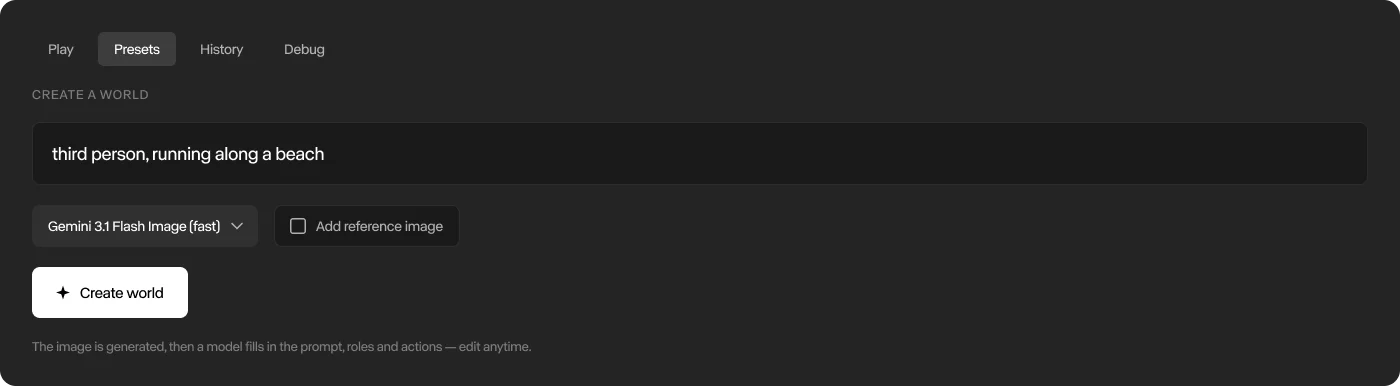
Runway introduced GWM Worlds 2 on 3 September as a research preview for interactive video-and-audio worlds. Runway says the system generates continuous 720p video at 24 frames per second with 48 kHz audio, while accepting text actions and camera movement during generation. This is not simply a longer text-to-video clip: the model is designed to preserve a world while events keep changing inside it. [1]
A world prompt has two different jobs
Runway calls its control format WorldPrompt. The persistent layer contains a genesis prompt and first frame: environment, layout, materials, lighting, ambient sound, subjects, their attributes, physical rules and camera perspective. A second layer is a timestamped event stream. It describes movement, dialogue, object interactions and sound, with overlapping actions addressed to a subject or the scene. [1]
For filmmakers, this separation is the important idea. A conventional prompt often mixes art direction, character description, blocking, dialogue and camera movement into one paragraph. WorldPrompt treats the stable production bible separately from the shot’s changing performance. Even outside Runway, that structure can make an AI-video brief easier to inspect and revise.
Build one controlled scene before imagining a film
Start with a single location and two subjects. Write the persistent layer first: floor plan, light source, weather, materials, wardrobe, subject positions, camera height and one physical rule that must never change. Then create a 10-second event table. Give every action a start time, end time, owner and intended result. Keep dialogue, movement and sound on separate rows so overlaps are deliberate.
Review the scene like previsualisation, not a final shot. Check whether the room survives a camera move, whether subjects remain identifiable, whether light direction stays stable and whether an action causes the expected visual response. Record failures against the world rule or event that produced them. The goal is to learn which instruction needs repair, rather than rewriting the entire prompt after every result.
The limitations define today’s use
Runway explicitly describes a speed-versus-fidelity trade-off. Fast camera rotations can degrade details, textures and geometry; long-term memory remains imperfect; and image references are limited to the first frame or prefilled video and audio. Runway also reports that carefully authored ahead-of-time actions currently produce better quality than spontaneous real-time control. [1]
That makes the present opportunity narrower and more useful: study world models as a method for interactive previsualisation, branching scenes and spatial continuity experiments. Do not promise a client an endlessly consistent generated set. Build a small world, direct one change at a time and document where continuity breaks. The durable creative skill is not generating more footage; it is defining what must persist while the story moves.
Sources
- Runway Research: Introducing GWM Worlds 2 · Published 2026-09-03; checked 4 October 2026.