
AI VIDEO / ANALYSIS
Seedance 2.5 Flash: test a 30-second product shot within its 720p limit
BytePlus has listed a new Flash video model. Its format and reference options are useful for a controlled pilot, but the name alone says nothing about your final clip.
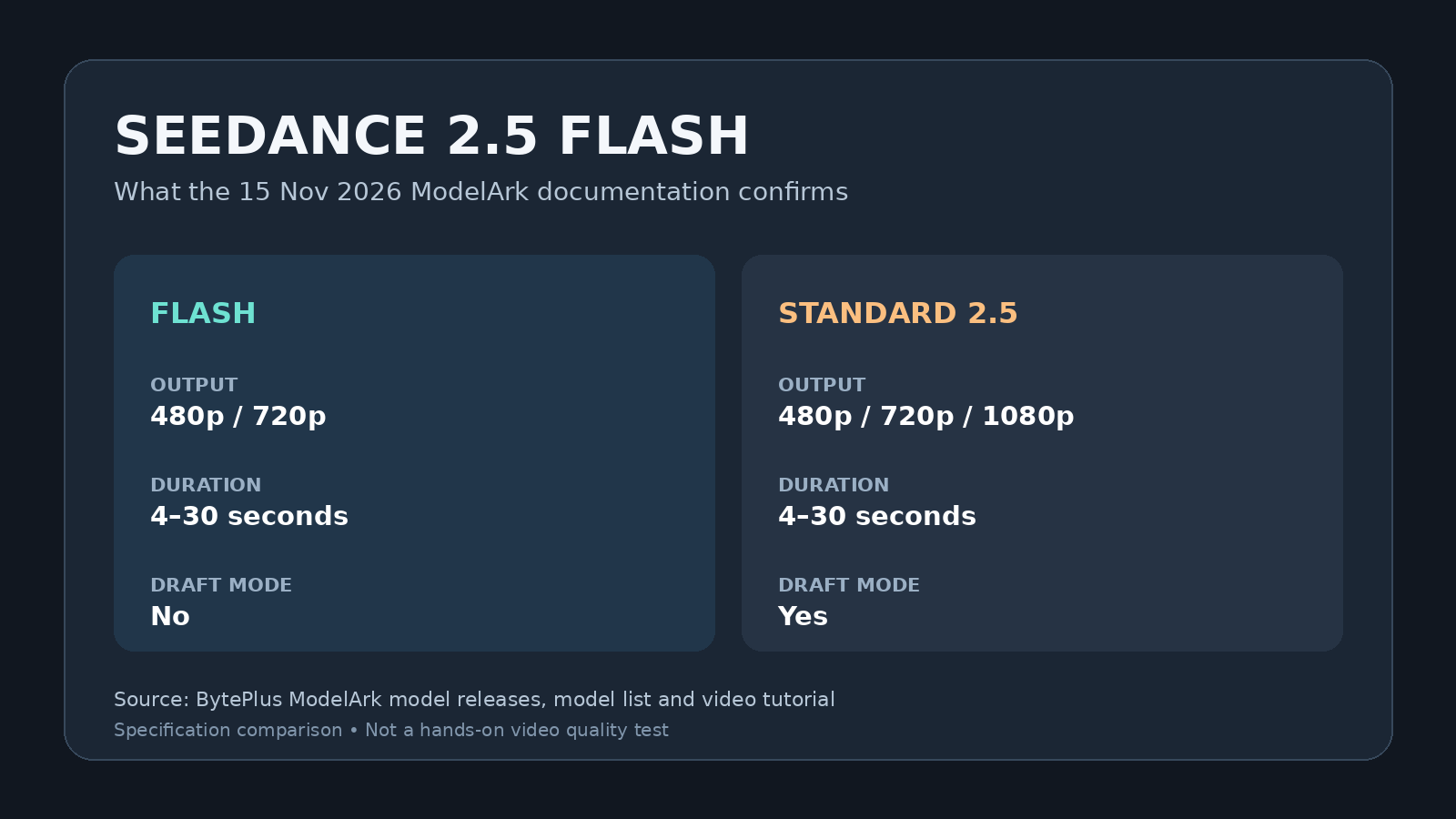
BytePlus ModelArk listed Dreamina Seedance 2.5 Flash as a new video-generation model in its 15 November 2026 release notes. The model ID ends in 261115, and the official list shows text-to-video, image-guided video, reference-based generation, editing and extension. Flash outputs 480p or 720p clips lasting 4 to 30 seconds at 24 frames per second. It does not support Draft mode. These are documented capabilities, not a WASSAI quality or speed measurement; we have not generated a clip with it. The standard Seedance 2.5 model has different limits, so check which one a tool or API actually selects. [1] [2]
Pilot one shot before a whole advert
For a creator, start with a fictional product or an item you have permission to depict. Make a simple brief for a 10-second vertical shot: one pack on a table, a slow camera move, stable label text and no invented claims. Save the original pack image, the exact prompt and the output settings. A single short shot is easier to inspect than a 30-second sequence with multiple scene changes. BytePlus documents a Model Playground for people who do not code, alongside an API route for developers; this article does not assume the Flash option is present in every consumer app. [3]
If you use the API, select the Flash model ID explicitly and set the intended duration and aspect ratio. BytePlus lists first-frame and first-and-last-frame guidance, plus omni-reference input. Those controls can help describe an opening and end state, but they do not prove that the generated product, typography or motion will stay accurate. Compare every frame against the approved pack and remove any result that changes a logo, ingredient, price or feature. [1] [2]
Treat the limits as creative constraints
The Flash listing tops out at 720p, while the standard Seedance 2.5 listing also includes 1080p. Flash also lacks the separate Draft mode available for the standard model. Do not promise a native 4K master or describe a Flash run as a Draft preview. If the final placement needs higher resolution, plan a separate finishing and quality check rather than assuming upscaling will restore small print. Keep a record of the chosen model and output file so a client can see what was actually made. [1] [2] [3]
BytePlus says generated video URLs are retained for 24 hours and other video task IDs for seven days. Download approved outputs promptly and keep your prompt, source assets and review notes with them. Its documentation also restricts direct uploads of reference images or videos containing real human faces for the Seedance 2.5 series. For a first test, use an object-only scene and avoid uploading a person's likeness without checking the applicable workflow and permission rules. [3]
Decide from the review, not the model name
Run the same brief twice and note setup time, generation time, revisions and any unusable frames. Review sound separately if you requested it. Flash may be a practical option for draft social concepts, but whether it saves work depends on your own outputs and costs. Publish only after a human verifies the product, rights, disclosure and final export. A controlled pilot tells you more than a polished model demonstration.
Sources
- BytePlus ModelArk: Model releases · Published 2026-11-15; checked 16 November 2026.
- BytePlus ModelArk: Model list · Published 2026-11-15; checked 16 November 2026.
- BytePlus ModelArk: Video generation tutorial · Published 2026-11-15; checked 16 November 2026.