
AI VIDEO / ANALYSIS
Premiere mobile: separate the AI first-cut preview from music you can use today
Adobe's new mobile music library is live on iPhone, but its AI editing assistant is still a private beta. A simple rights and availability check can prevent a client-video mistake.
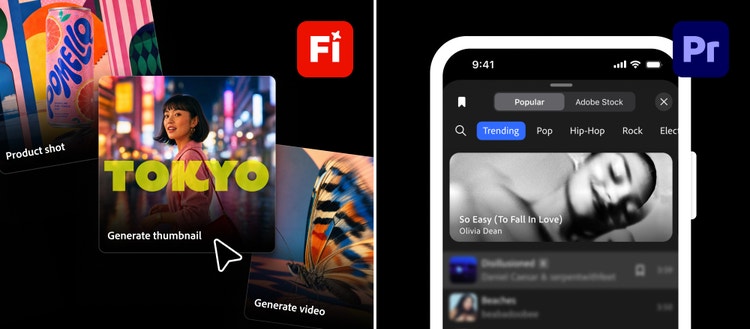
Adobe's 10 November 2026 update combines several creator announcements that sound like one mobile workflow but have different availability. Music from Universal Music Group and Warner Music Group is now in Premiere mobile on iPhone for personal, non-commercial videos. Android availability is still to come. The AI Assistant that can turn selected footage into an editable first cut is a private beta, with sign-up open. Those distinctions matter before a creator promises an AI-edited, chart-soundtracked client Reel. WASSAI has not tested the beta or the music catalogue. [1]
Plan the edit around what is available
For a video due this week, begin with footage and editing tools you can use today. Write a one-sentence purpose, select the strongest opening shot and arrange a rough sequence. Mark places where a missing shot, caption or transition needs work. Adobe says Firefly Video can help arrange clips, add captions and create transitions or b-roll; its new tools are available in beta. Check your account's access, output terms and quality before relying on them for delivery. [1]
If you receive Premiere mobile's AI Assistant beta, try Quick Cut on a low-stakes sample rather than a deadline project. Adobe describes selecting camera-roll footage, describing the intended video and receiving an editable first cut. Compare its shot order with your own plan, then inspect pacing, continuity, captions and the final frame in the timeline. Log the minutes saved after corrections; a fast first pass is useful only if the finished edit still communicates the brief. [1]
Treat the soundtrack as a rights decision
The new UMG and WMG tracks may be attractive for a personal post, but Adobe limits their announced use to personal, non-commercial videos in Premiere on iPhone. A brand collaboration, paid ad or client deliverable needs its own cleared music path. Adobe points to Adobe Stock Audio for projects that require commercially licensed music. Verify the licence for the specific track, platform and use before publishing; do not assume that finding a song inside an editor grants advertising rights. [1]
For an early cut, use a temporary reference track clearly labelled as a placeholder. Keep a separate note for the approved soundtrack, licence record and any platform restrictions. This lets a client review pacing without turning a music search result into an accidental publication choice. If the post changes from personal to sponsored later, revisit the audio rather than carrying over the original assumption.
Keep the promise precise
The launch is useful for creators, but it is not a single all-access release: music is live on iPhone with a stated personal-use limit, Firefly additions are in beta, and mobile agentic editing remains a private beta. Put those three labels in the project brief. Then choose tools and rights that match the actual job, while keeping the final creative decision with the editor. [1]
Sources
- Adobe: Firefly and Premiere mobile unlock new ways to create videos, edit content and find a soundtrack · Published 2026-11-10; checked 11 November 2026.