
AI RESEARCH WORKFLOWS / ANALYSIS
Google adds clearer AI Search links: follow them into your script notes
New link displays in AI Search can help learners reach original pages. Build a compact evidence note before turning an answer into an explainer, tutorial or client presentation.
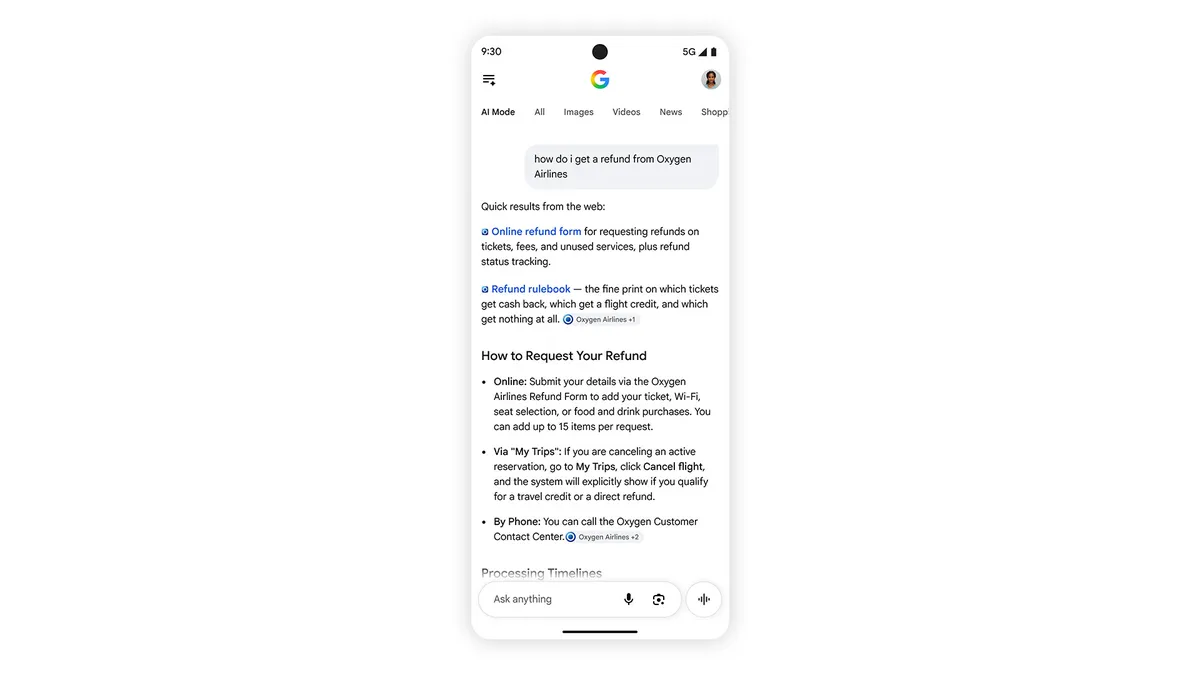
Google announced changes to AI Mode and AI Overviews on 15 October 2026, including more inline links appearing higher in responses. It is also testing a dedicated section that highlights official pages for specific tasks. For a learner preparing a tutorial or a creator researching an explainer, these links offer a practical route from a generated overview to the material that can support a script. The next step is to read and record that evidence. [1]
Start with one claim you need to explain
Write the question in terms of the audience’s decision. Instead of asking for a broad overview of an editing tool, ask which export formats it supports and which account settings affect access. Split the response into claims that could be checked individually. A single sentence about a feature may contain several separate assertions about availability, quality and price. Give each assertion its own place in your notes.
Open the relevant link and locate the passage that supports the claim. Prefer the vendor’s documentation for product behaviour, the original paper for a research result, or the publisher’s report for its own reporting. Record the page title, URL, publication or update date and the date you checked it. Keep a short paraphrase with the relevant conditions, such as beta status, supported countries or plan requirements.
Use the new displays with their limits
Google says its official-page section is a test. The company is also testing clickable creator and publisher names on video results in AI Mode, linking to Search profiles. Separately, it is expanding timely-article carousels to more locations and languages. These changes have different rollout states, so an announcement does not establish that every reader will see every display on the same query. [1]
A prominent link is a navigation aid. Check whether the destination actually addresses your question and whether the visible claim matches its wording. If an overview combines facts from multiple pages, trace each important detail separately. When two sources disagree, record the disagreement and seek a newer authoritative explanation. Leave the point unresolved in the draft if you cannot establish which version applies.
Carry the evidence into the finished story
Before writing, make a small claim ledger: the statement you intend to publish, its supporting URL and any qualification the viewer needs. Separate your own interpretation from what the source explicitly states. For a tutorial, verify the steps against the interface you can access. For a model comparison, distinguish a company benchmark from your own measured result. Link the strongest supporting pages in the description or accompanying article.
Finally, reread the script with the source pages open. Check dates, units, names and words such as “all,” “free” and “available.” A clean research note makes revisions easier when a feature changes. WASSAI has not independently tested Google’s new displays; this workflow is an editorial recommendation for using source links deliberately. The useful result is an explanation whose important claims remain traceable after the AI conversation ends.
Sources
- Google: More ways to connect with the web from Search · Published 2026-10-15; checked 17 October 2026.