
LIVE AI TRANSLATION / ANALYSIS
Eleven Realtime Translation: rehearse the language handoff before going live
ElevenLabs has launched live speech translation in enterprise alpha. A short rehearsal can expose delays, meaning changes and voice choices before a multilingual event.
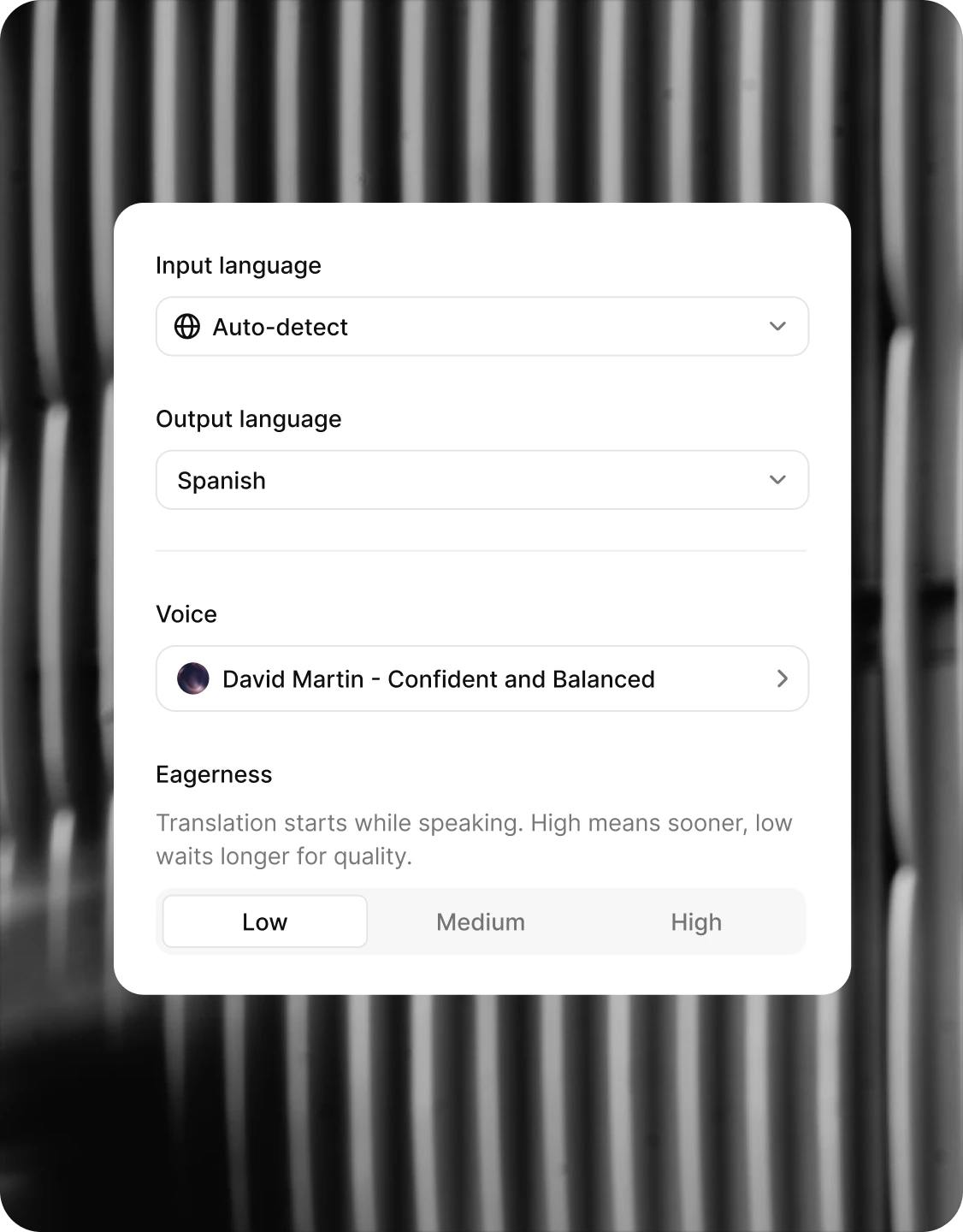
ElevenLabs announced Eleven Realtime Translation on 21 October 2026. It translates speech while a conversation is happening, so each participant can speak one language and hear another. The company names calls, contact centres and live events as possible uses. For a creator hosting a multilingual workshop or product demonstration, the important question is whether the audience receives the right meaning soon enough to follow along. This is an alpha for ElevenAPI enterprise customers, not a generally available creator feature. WASSAI has not independently tested it. [1]
Design a rehearsal around the difficult moments
Write a five-minute sample of the actual event: an introduction, a product explanation, a question and a correction. Add names, prices, technical terms and any Hindi-English code switching the speaker naturally uses. Have a bilingual listener compare the original speech with the translated audio and text. Ask them to mark altered numbers, softened claims, missing qualifiers and confusing pauses, rather than giving the entire session a vague quality score.
ElevenLabs says the system automatically detects language and supports output in more than 90 languages through Eleven v4 Turbo. That broad claim does not establish performance for every accent, regional phrase or mixed-language sentence. Confirm the languages needed for the event and test the exact speaker, microphone and room conditions before relying on a live feed. [1] [2]
Compare speed with meaning
The product lets enterprise teams tune when translation begins. Its “eagerness” setting can start sooner for quicker back-and-forth, or wait for more of a sentence to improve translation quality. Rehearse both ends of that trade-off. Time how long listeners wait after a question, then check whether an early translation missed a condition that arrived at the end of the sentence. Choose a setting based on the event format, not a latency figure alone. [1] [2]
The translated voice is selected from ElevenLabs’ library or supplied through a voice clone. ElevenLabs explicitly says it does not carry the original speaker’s voice across languages exactly. Get permission before cloning a person’s voice, and tell listeners when the audio is translated. If tone or identity matters, let the speaker and a native-language reviewer approve the chosen voice. [2]
Keep a human path through the event
ElevenLabs says sessions can stream translated text plus interim and final source transcripts. Use those records to inspect disputed lines after the rehearsal. Prepare a moderator who can restate a critical answer, pause when a name or number is unclear and switch to a human interpreter if the translation becomes unreliable. Decide this fallback before attendees join, and do not treat a polished voice as proof that the information is accurate. [2]
For independent creators without enterprise access, the announcement is a signal of where live multilingual production is moving. It is not a reason to promise this particular service on a client brief today. The useful preparation now is a repeatable script, glossary and review checklist that can travel with any live translation system you eventually use. [1]
Sources
- ElevenLabs: Talk to anyone, in any language, in realtime · Published 2026-10-21; checked 22 October 2026.
- ElevenLabs: Realtime Translation product details and FAQ · Published 2026-10-21; checked 22 October 2026.