
AI IMAGE WORKFLOWS / ANALYSIS
Apple Creator Studio: test one product-image edit before the video cut
Apple has announced Generate Fill for Pixelmator Pro and a round-trip image workflow with Final Cut Pro. A narrow asset test can expose what needs human review when the update arrives.
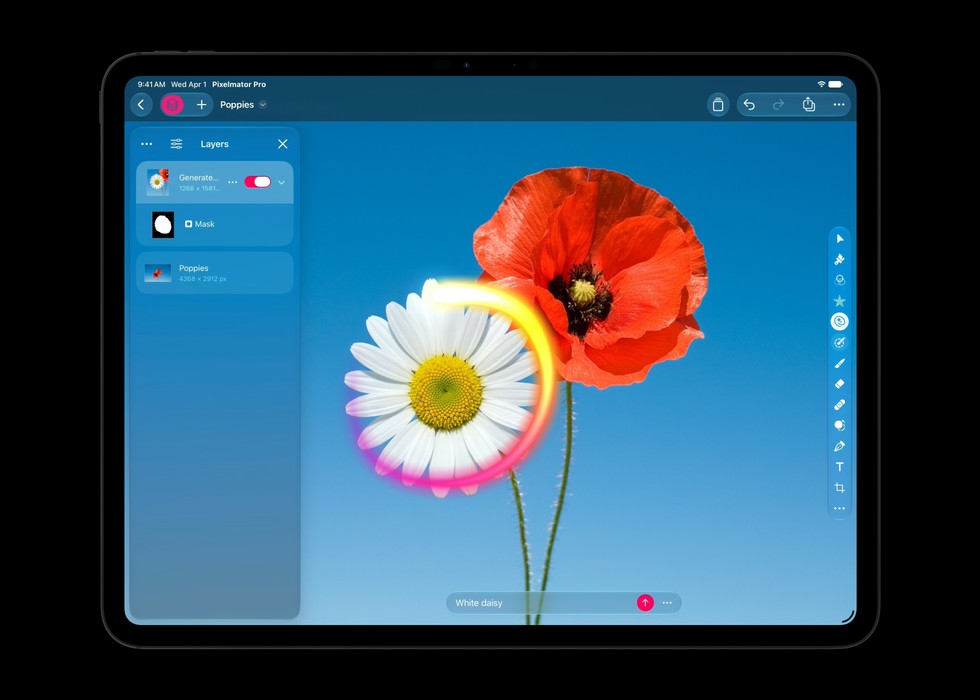
Apple announced new Creator Studio tools on 27 October 2026, including Generate Fill in Pixelmator Pro and a way to open an image from a Final Cut Pro timeline in Pixelmator, then save it back to the project. Apple says the updates arrive in November, so this is a plan for testing the workflow when it becomes available, not a report of hands-on results. For a solo creator, the useful question is simple: can a corrected product still look like the product after AI changes part of its photograph? [1]
Start with a truthful master
Choose one photographed product shot you own or have permission to edit. Keep the original file, the product label and a reference frame beside it. Write down which details must remain exact: logo, colour, package shape, claims and any regulated copy. Make a single change request, such as extending a neutral background or removing an unwanted prop. Do not ask the model to redraw the pack itself. A believable image can still be commercially wrong if a label or material changes.
Apple describes Generate Fill as editing a selected area from a natural-language description. Its selection tools and layers should let you contain the change and refine it afterward; Apple also says the feature aims to match surrounding lighting, perspective and texture. Treat those as product claims to examine, not guaranteed outcomes. Compare the generated edge at full resolution, check shadows and reflections, and verify that every printed character still matches the physical item. [1]
Carry the still into the cut
Make a ten-second draft video with the unedited photograph, then substitute the approved edit. Apple says Final Cut Pro on Mac will support opening a timeline image in Pixelmator Pro and saving changes back without reimporting. When the update ships, test whether the revised still holds its framing, crop and colour in both a horizontal and a vertical export. Watch on a phone as well as a large display; small artifacts often become more obvious when a product fills the screen. [1]
Keep AI-generated changes out of evidence-heavy shots. If the image is meant to show a real package, actual store, or before-and-after result, disclose alterations where viewers could mistake them for fact. The workflow is better suited to background cleanup and concept work than inventing a real product feature. Ask another person to check the final frame against the original before you publish an ad or catalogue image.
Check availability before promising a workflow
Apple says the Creator Studio updates are due in November and free for existing subscribers. Some features require Apple silicon or newer operating systems; the announcement does not make every tool available on every device. Before moving a live project, confirm the update, hardware and subscription on the machine you will use. Record edit time, corrections needed and export quality against your current method. If the new round trip reduces file handling but creates extra fact-checking, it has not yet saved you work. [1]
Sources
- Apple: Apple Creator Studio adds powerful new AI features and even more creative tools · Published 2026-10-27; checked 29 October 2026.